SMS Notifications: keep your customers and staff updated anytime, anywhere
News
May 28, 2024
Anna Shevchenko

Zapiet - Pickup + Delivery sends customer and internal SMS notifications about order status changes to help you deliver customer-centric service.
With this new feature, you can keep your clients updated on their order status while informing your store staff of new orders or any changes to existing ones.
Customer SMS Notifications
Whether your customers are at work or out for a walk, they can easily get notified of their pickup and delivery order status to receive their packages on time. By knowing the status of their order, your customers can plan their day to pick up the order or receive the delivery, boosting their satisfaction and loyalty to your brand.
You can set up the following notifications:
For pickup:
- Order ready for pickup SMS
- Order picked up SMS
For delivery:
- Ready for delivery SMS
- Out for delivery SMS
- Order delivered SMS
Let’s imagine your customer places a delivery order for next week and then leaves for an urgent business trip. By sending a "Ready for delivery" SMS, you remind them about the order. This way, they can ask a friend to receive the delivery if they cannot make it back in time. After they get the "Order delivered" SMS, they can relax knowing their package is safe and waiting for them when they return home.
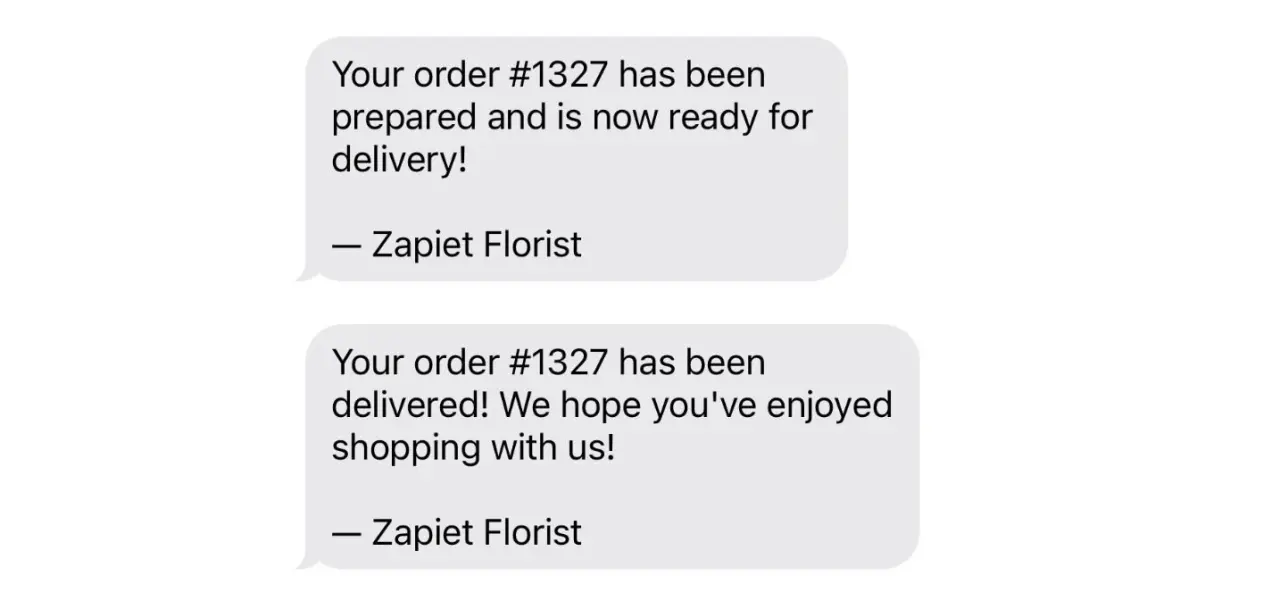
While your clients do not always have time to check their emails, checking SMS is much faster and more convenient.
To preview and edit your SMS notification content, go to Settings > Notifications > Customer notifications, then choose Store pickup or Local delivery based on your needs and click the necessary template to enable or edit that type of SMS notification.
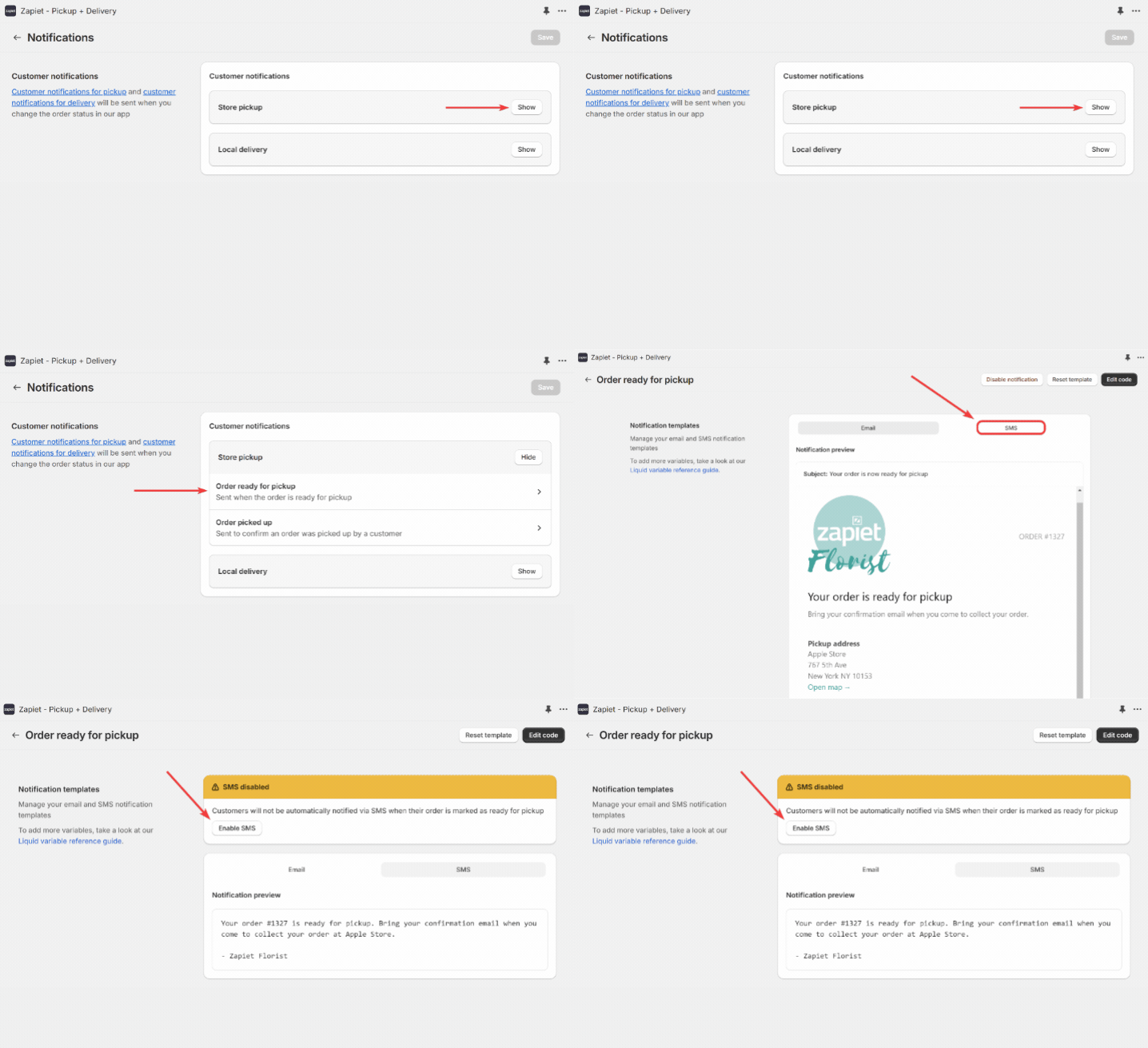
To learn more about how to set up Customer SMS notifications, check out our Help Article.
Internal SMS Notifications
Whether you receive a new order or make changes to an existing order within Zapiet - Pickup + Delivery, you can easily set up internal notifications to keep your staff informed. Through SMS notifications, your staff can process orders faster, ensuring quick and accurate order fulfillment.
Internal SMS notifications are both location and delivery-method specific. This means that your store managers won’t be spammed with notifications for all your locations and delivery methods. For example, if you have separate pickup and delivery teams, each will only receive the notifications that are relevant to them.
You can set up the following notifications:
For pickup:
- New pickup order SMS
- Updated pickup order SMS
For delivery:
- New delivery order SMS
- Updated delivery order SMS
Let’s imagine it’s a busy time of year when your store is flooded with orders. To ensure no order is missed, you can set up internal SMS notifications to inform your store manager(s) of any new orders or changes to existing orders. This way, your staff can keep an eye on the pickup and delivery orders and manage them more efficiently.
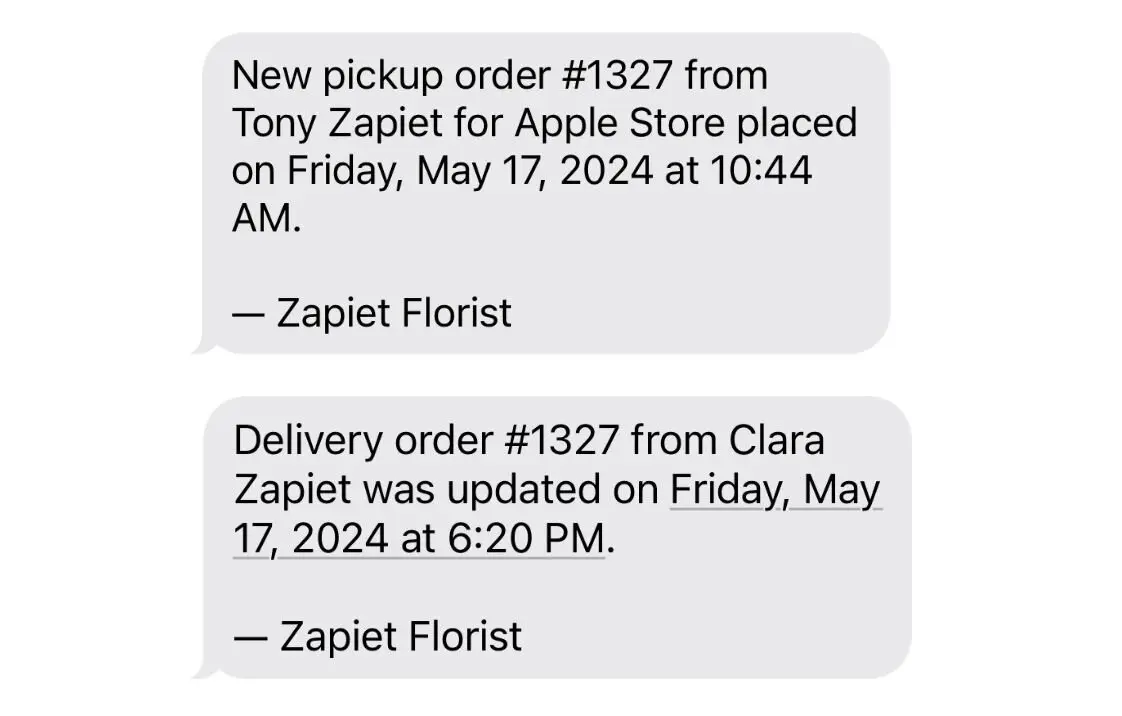
To start, you need to add the phone number that will receive Store pickup and Local delivery SMS notifications.
Click Locations > select the location you need to set up SMS notifications for > choose Store pickup or Local delivery > Edit settings > in the Internal notifications section, enter the phone number(s) that should receive this location's internal delivery SMS notifications.
You can also preview and edit your internal SMS notification. Go to Settings > Notifications > Internal notifications, then choose Store pickup or Local delivery based on your needs, click Show, and enable or edit that type of SMS notification.
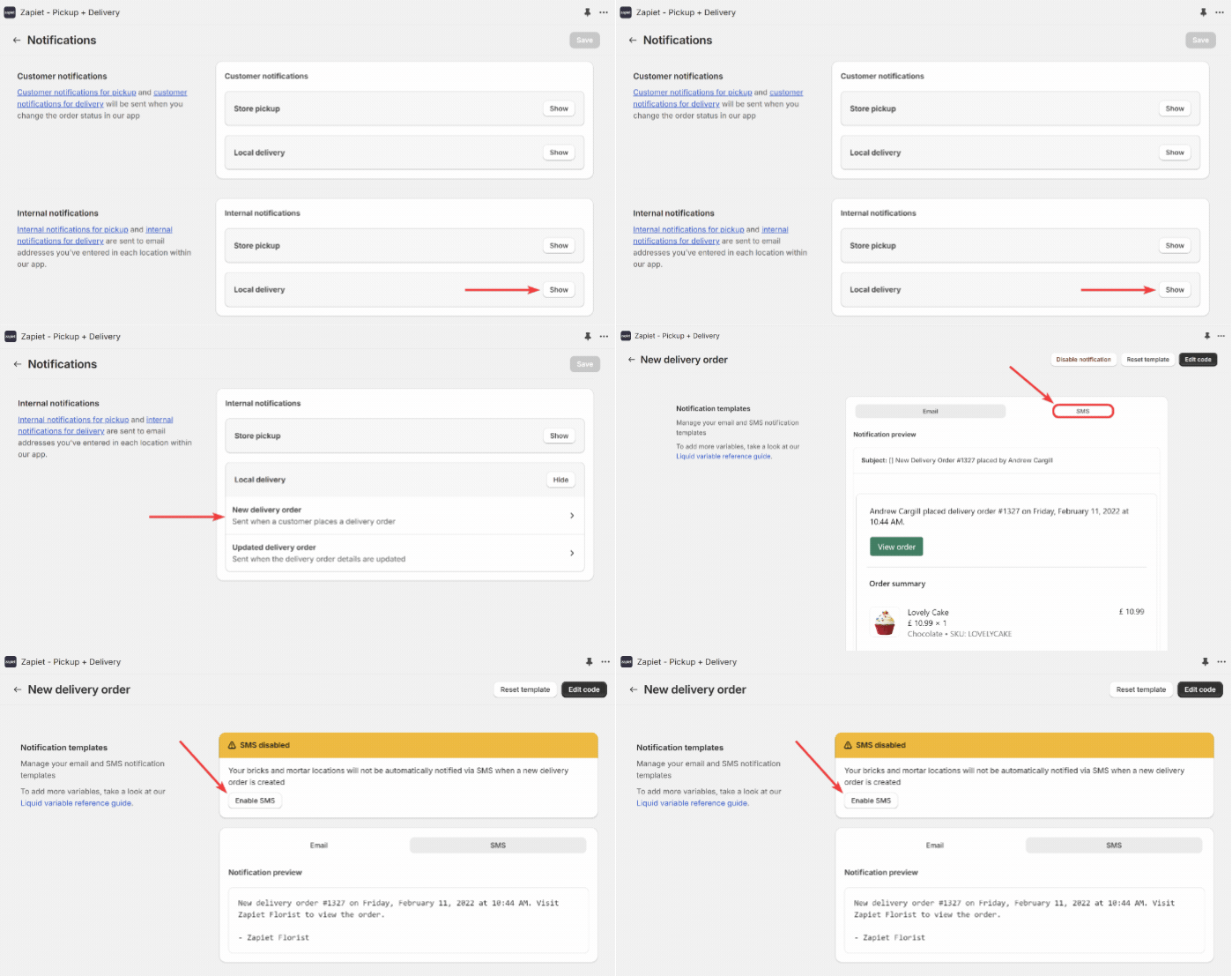
To learn more about how to set up Internal SMS notifications, check out our Help Article.
Something you should know:
- When you send an SMS message containing more than 160 characters, the message is split into smaller messages for transmission. For example, a 161-character message will be sent as two messages: one with 153 characters and a second with 8 characters. In this case, you will be billed for two SMS notifications.
- Each SMS is billed at $0.05 each.
- All notifications will be sent from a UK phone number.
We hope you’ll love our new feature that helps you stay connected and streamline operations to efficiently manage every order!
Keep an eye on Zapiet improvements and updates by following our Changelog.
Share this post