Your store Is now a fulfillment hub: getting more from Shopify POS
Insights
October 20, 2026
Olya Kryvonos
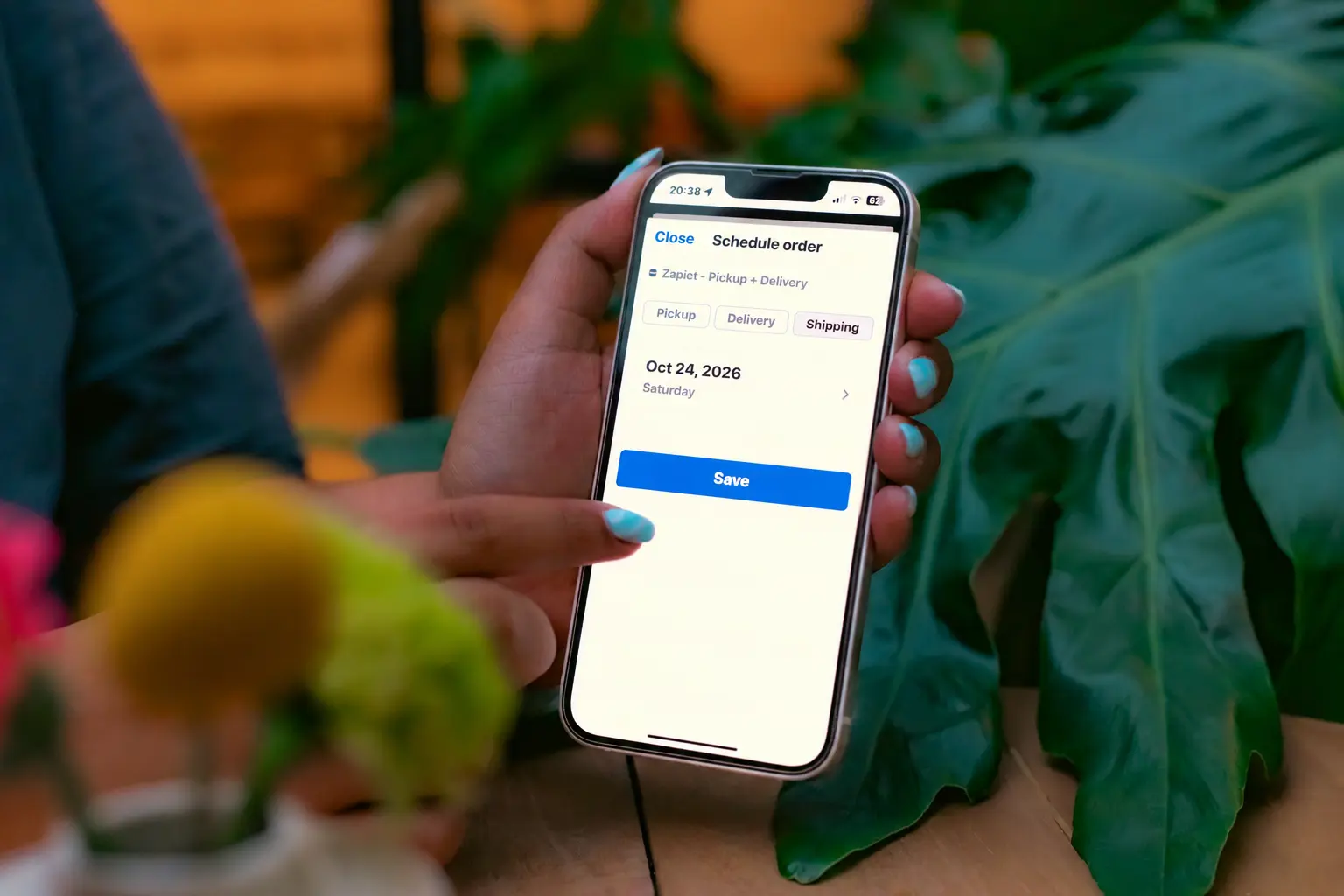
Shopify POS has been quietly building for exactly this. Here's what's new, why pickup and local delivery belong at the heart of your retail setup, and how to make it all run smoothly when the holiday rush hits.
Peak season is close, so if you're still prepping, our BFCM 2026 checklist is a good place to start.
What's new in Shopify POS
Shopify's Spring '26 Edition, released in June 2026, put a lot of love into in-store selling. The updates worth knowing about:
A faster checkout. With POS v11, staff save over a minute on complex carts. The cart stays on screen the whole time, and discounts, edits and customer lookups open in a side panel.
Pickup orders straight from the till. Since POS v11.3 (March 2026), staff can create pickup orders in POS for items a customer will collect later, like made-to-order or incoming stock, then fulfill them with the usual pick and pack flow (Shopify).
Faster pickup prep. Since v11.2, staff can scan barcodes on the "Prepare for pickup" screen, with checkmarks and counts to avoid mistakes.
Your store shows up in the Shop app. Retail locations now appear in Shop, and product pages show local stock available for in-store pickup.
Returns that bring people back in. A return started in the Shop app can be finished at your counter with a QR code.
New hardware. The Verifone Victa mobile scans barcodes, takes card payments and works as a countertop terminal when paired with a tablet.
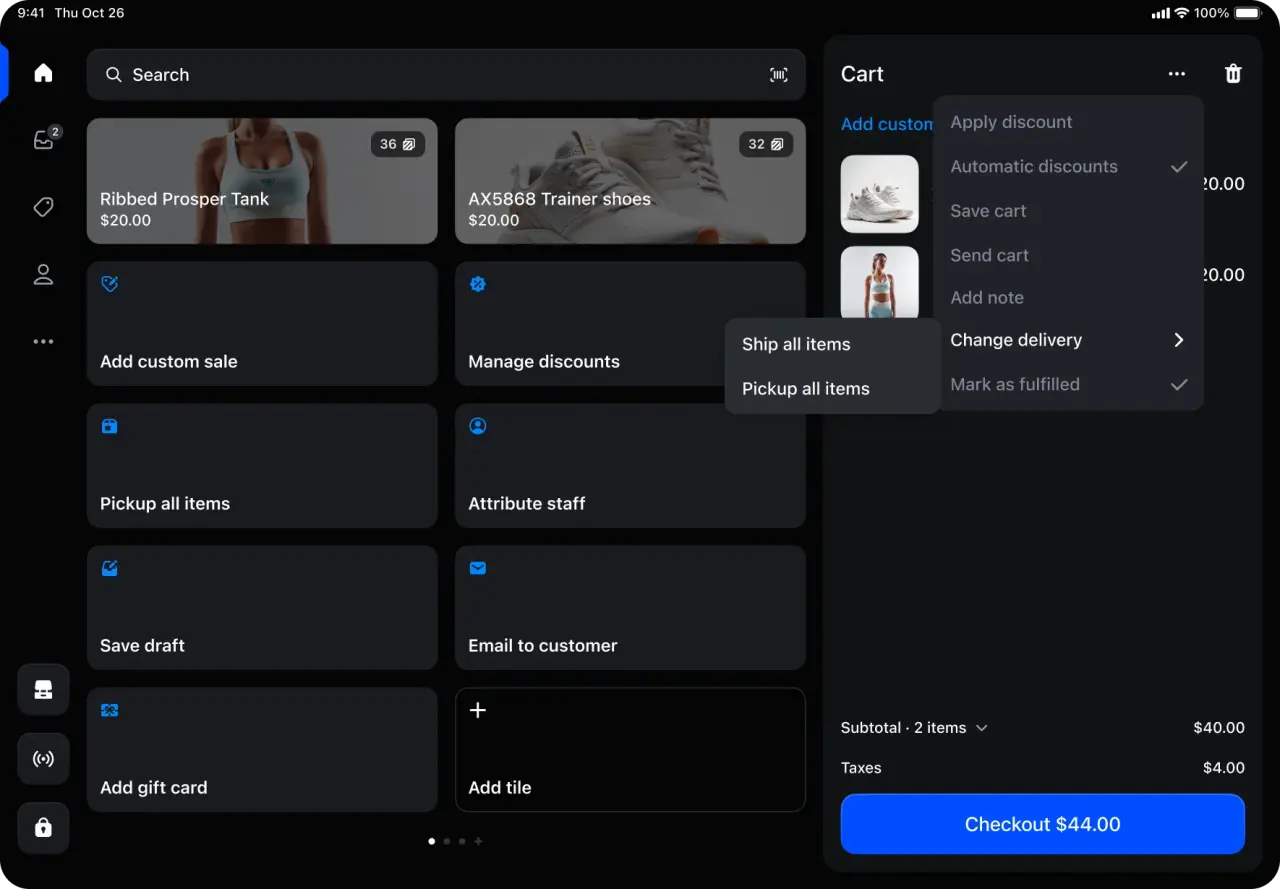
Image: Shopify
Notice the pattern? Almost every update is about connecting online browsing with the physical store. Shopify is betting that the shop counter is where online and offline meet.
Why pickup and local delivery belong at the counter
Shoppers keep choosing pickup. 29% of US online buyers picked up an online order in store in May 2026, up from 22% in 2023. It's the only delivery method that has grown every year since. Saving on delivery fees is a big part of the pull.
Pickup brings people through your door. Research by OrderDynamics found that 37% of shoppers made unplanned purchases when collecting an online order in store. Frequent click-and-collect shoppers did so 51% of the time and spent about $40 more. That study is from 2018, but the logic hasn't changed: a pickup is a store visit, and a store visit is a chance to sell.
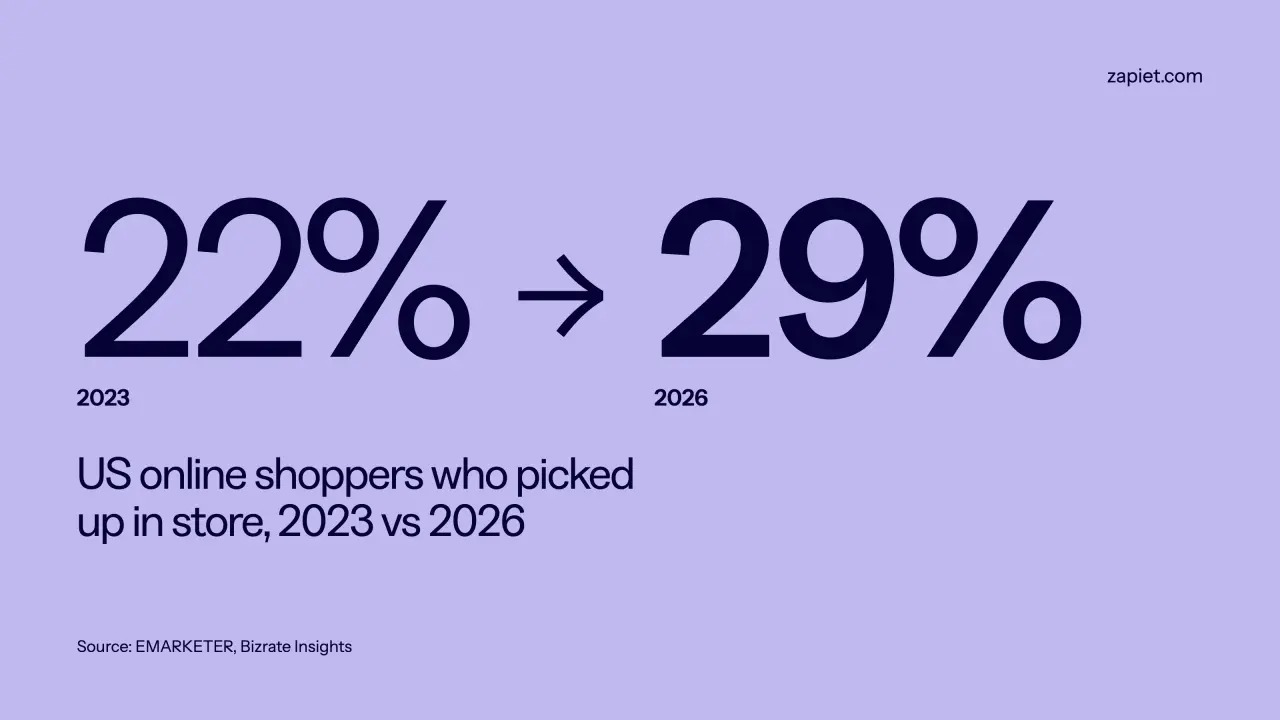
Pickup is the only delivery method that’s grown every single year.
Not every sale finishes in one visit. Think of the customer who wants a cake for Saturday, a bouquet delivered to their mum, or a size that's out of stock today. Without a way to schedule pickup or delivery at the till, that sale walks out the door.
6 tips to run pickup and delivery smoothly from your POS
Give pickup orders a home. A dedicated shelf or counter spot, sorted by date or surname, means no one is digging through the stockroom while a customer waits.
Let staff see today's orders at a glance. Your team should know what's due for collection or delivery today without logging into a laptop in the back.
Take future orders at the till. Let customers book a pickup or delivery date and time on the spot, so in-store sales for later don't end up on sticky notes.
Keep each location focused on its own orders. If you have several shops, staff only need to see the orders for their store.
Make handover fast. Scanning a QR code beats searching for an order by name, especially with a queue behind.
Set limits before peak season. Cap how many pickups or deliveries you take per time slot, so a busy Saturday doesn't swamp your team.
Setting up pickup for the first time? Our step-by-step BOPIS guide covers locations, inventory and preparation times.

The till is where today’s sales and tomorrow’s orders meet.
How Zapiet brings pickup and delivery into Shopify POS
Shopify POS now handles basic pickup orders for the store you're standing in. Zapiet builds on that with scheduled dates and time slots, local delivery and shipping, all managed from the same POS screen.
Zapiet - Pickup + Delivery, a Shopify Build Award 2026 winner, adds two tiles to your Shopify POS home screen:
Schedule order. Add pickup, local delivery or shipping details to a new order right at the till, with your location settings and date and time slots. Delivery addresses can be checked by postcode.
View orders. Open and edit pickup and delivery orders, change their status, and update individual items if you fulfill orders in parts. Tap Scan to open an order straight from the customer's QR code.
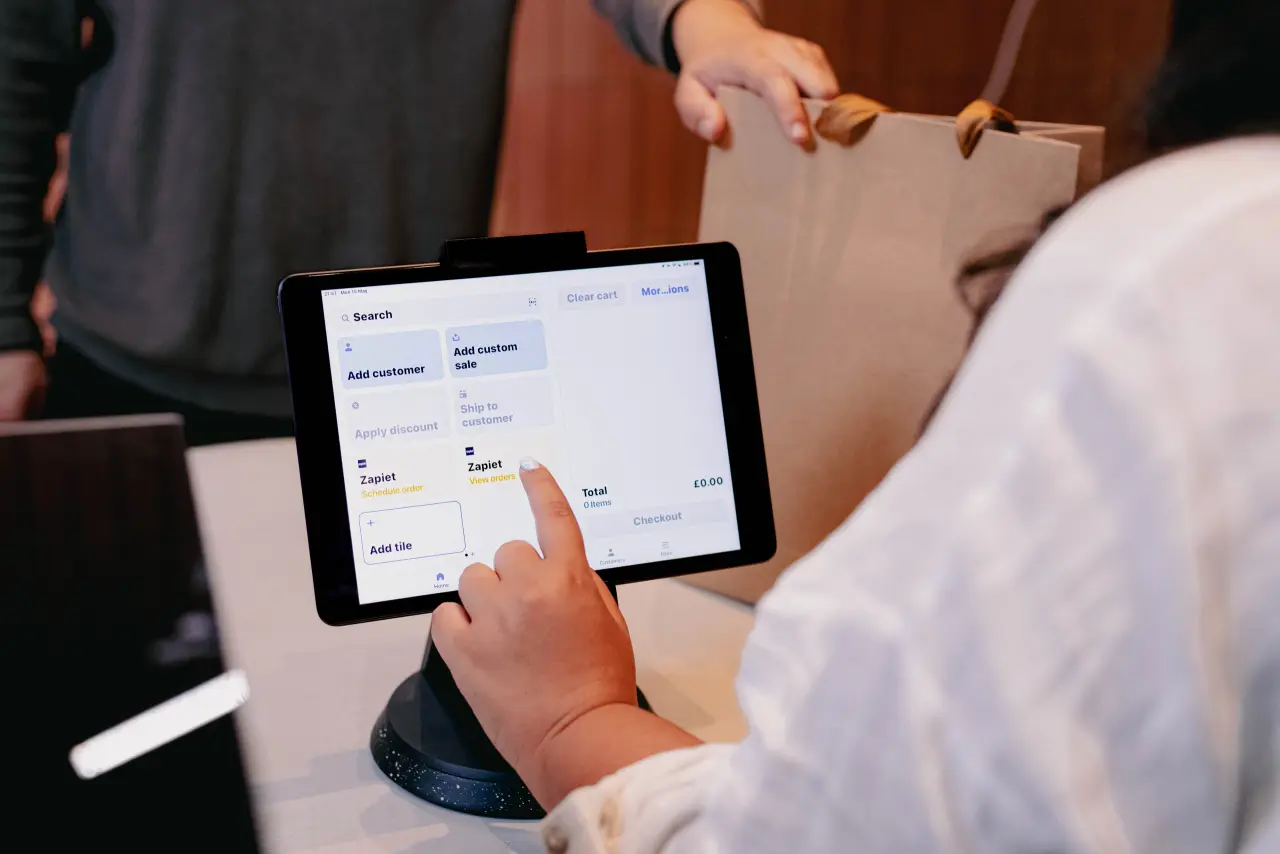
Zapiet’s Schedule order and View orders tiles, right on the Shopify POS home screen.
On POS Pro, staff can also add a shipping address and your delivery or shipping rates to the order.
The result: online and in-store orders live in one place. Your website customers pick a date and time at checkout, and your shop team books the same slots for walk-in customers from the POS.
The POS integration is included from the Essential plan. If you're getting ready for the holiday rush, try Zapiet free for 14 days and turn your shop counter into the hub it's already becoming.
Share this post
Turn your shop counter into a pickup and delivery hub
Schedule pickup and local delivery orders right from Shopify POS. Try it free for 14 days.
Turn your shop counter into a pickup and delivery hub
Schedule pickup and local delivery orders right from Shopify POS. Try it free for 14 days.