Shopify for Restaurants: How to Set Up Online Ordering with Zapiet Eats
Insights
July 29, 2026
Andrew Cargill, Founder of Zapiet
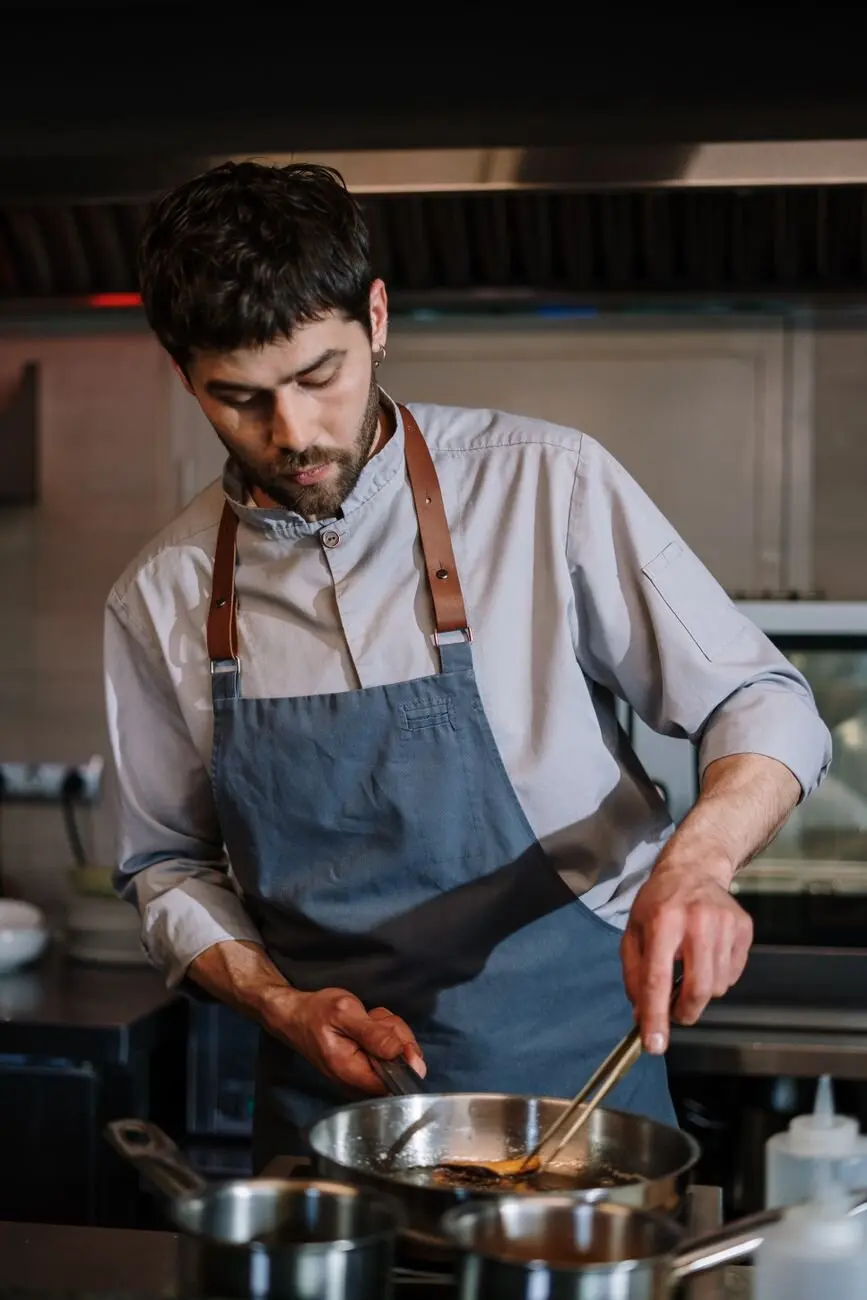
That makes Shopify for restaurants an appealing option. Shopify provides the storefront, checkout, payments, product management, and customer data needed to sell online. Zapiet Eats adds the restaurant-specific layer: food ordering, menu and seasonal scheduling, pickup and local delivery management, dine-in ordering, table reservations, and real-time order management—directly inside Shopify.
Restaurant fulfillment is more time-sensitive than standard ecommerce, though. A customer ordering dinner needs a clear collection or delivery window—not a vague estimate that their order will ship in a few days.
This guide explains where Shopify works well for restaurants and how to configure pickup and scheduled local delivery without overwhelming your kitchen.
Quick answer: Shopify can provide the storefront, checkout, payments, and customer data for a restaurant. Zapiet Eats turns that foundation into a restaurant ordering system by adding scheduled menus, pickup and local delivery, dine-in ordering, table reservations, and real-time order management. It is built for cafés, bakeries, restaurants, and other Shopify food businesses.
Is Shopify good for restaurants?
Shopify is a flexible commerce platform rather than a traditional restaurant management system. That distinction matters.
It gives restaurants more control over their online brand and customer relationships than many third-party food marketplaces. Customers can order directly from the restaurant’s website, while the business manages products, payments, promotions, and customer information through Shopify.
Restaurant operators still need to decide how orders will move from checkout to the kitchen, collection counter, or delivery driver.
Where Shopify works well
Shopify is particularly useful when a restaurant wants to:
- Accept online orders through its own website
- Offer in-store or curbside pickup
- Manage local delivery
- Sell catering packages, meal kits, gift cards, or merchandise
- Create a mobile-friendly digital menu
- Process secure online payments
- Connect online and in-person sales through Shopify POS
- Build email and loyalty campaigns using customer data
The Shopify App Store also lets restaurants extend their stores without building a custom ordering system from scratch.
What Shopify may need help handling
Shopify’s core features cover ecommerce well, but restaurants often need more precise operational controls, including:
- Pickup and delivery time-slot selection
- Preparation-time rules
- Limits on orders per time slot
- Breakfast, lunch, and dinner menu scheduling
- Table ordering and reservations
- Kitchen order tracking
- Advanced delivery zones and distance-based fees
- Different menus or hours for each location
Apps can fill these gaps, but the right setup depends on how the restaurant operates. A bakery accepting preorders has different requirements from a multi-location restaurant handling a busy dinner service.
Which restaurants are a good fit?
Shopify can support many food businesses:
- Cafés and coffee shops
- Bakeries and dessert stores
- Quick-service and fast-casual restaurants
- Food trucks and ghost kitchens
- Caterers
- Meal-preparation services
- Multi-location restaurant groups
It is best suited to businesses that want a branded online storefront and are prepared to configure fulfillment around their actual kitchen capacity.
What does Zapiet Eats add to Shopify?
Shopify handles the commerce foundation. Zapiet Eats handles the food-ordering workflows that restaurants need day to day.
With Zapiet Eats, a Shopify restaurant can:
- Let customers switch between pickup and delivery
- Show available times, fees, and fulfillment options before checkout
- Schedule menus and seasonal availability
- Manage dine-in ordering and table reservations
- Track orders in real time
- Charge delivery fees based on distance or order value
- Display dietary and allergen information
- Create product bundles for combinations such as meals, drinks, and sides
- Review reports to understand which menu items perform best
This keeps the ordering experience inside the restaurant’s Shopify store rather than sending customers to a separate marketplace. The result is one branded path from menu discovery to payment and fulfillment.
What you need before setting up Shopify for a restaurant
A reliable ordering experience starts with decisions made outside Shopify.
Before adding delivery zones or pickup slots, document how your menu, kitchen, and locations work. Doing this first prevents you from offering options that staff cannot consistently fulfill.
Build a clear, mobile-friendly menu
In Shopify, menu items are generally created as products and organized into collections such as breakfast, mains, sides, drinks, or desserts.
Each item should include:
- A recognizable dish name
- A concise description
- A clear price
- High-quality photography where available
- Allergen and dietary information
- Relevant options or variants
- Current availability
Variants can cover simple choices such as size or flavor. More complex modifiers—such as toppings, sides, cooking preferences, or required selections—may need a menu or product-options app.
Keep the mobile experience simple. Customers should be able to find an item, understand their choices, and add it to their cart without opening several pages.
Define your fulfillment rules
Write down the rules for pickup and delivery before configuring them.
For pickup, define:
- Available locations and opening hours
- Average preparation time
- Minimum notice for scheduled orders
- Same-day cutoff times
- Maximum orders per slot
- Dates when pickup is unavailable
For delivery, also define:
- Delivery zones
- Minimum order values
- Delivery fees
- Driver capacity and travel time
- Whether a selected time means dispatch or arrival
- How far in advance customers can order
These rules should reflect both normal operations and peak periods. If the kitchen can prepare six online orders every 15 minutes, offering 20 orders in the same window will create delays regardless of how polished the website looks.
Choose the right operational tools
A typical Shopify restaurant setup may include:
- A Shopify storefront and checkout
- A restaurant-friendly theme
- Zapiet Eats for menus, ordering, pickup, delivery, and restaurant operations
- Shopify POS or another in-person sales system
- A printer, kitchen display, or order-management process
- Optional tools for loyalty, reservations, reviews, or last-mile delivery
Use the fewest tools needed to create a dependable workflow. Every extra integration adds another place where menu data, availability, or order status can fall out of sync.
How to set up local pickup on Shopify
Shopify supports local pickup at configured locations. Zapiet Eats gives restaurants the more specific ordering controls needed to show pickup availability, let customers choose how they receive an order, and coordinate those choices with restaurant operations.
The goal is to let customers choose an available collection option while giving staff enough time to prepare every order.
1. Add and configure each restaurant location
Check that every participating location has the correct address and inventory assigned to it.
Multi-location businesses must also decide whether customers will choose a location manually or be directed to one based on their address or availability.
Each location should have accurate:
- Opening hours
- Pickup instructions
- Contact information
- Menu availability
- Preparation times
- Holiday closures
Avoid using one universal schedule if locations operate at different times.
2. Set preparation times and pickup availability
Decide whether customers can order for collection as soon as possible, schedule a future time, or choose either option.
Then configure:
- Minimum preparation time
- Available pickup dates
- Pickup intervals, such as every 15 or 30 minutes
- Same-day order cutoffs
- Maximum advance-order window
- Blackout dates
- Order limits for each slot
Preparation time should be realistic. A 15-minute estimate may work in the afternoon but fail during the dinner rush. If your scheduling tool supports it, increase lead times or reduce capacity during peak periods.
3. Design a clear pickup experience
Customers should see their selected location, date, and time before completing checkout.
The order confirmation should repeat those details and explain:
- Where to collect the order
- When to arrive
- Whether to enter the restaurant or wait outside
- What order information to provide
- How to contact the restaurant
For curbside pickup, collect any details staff need to identify the customer or vehicle.
4. Test the pickup workflow
Place test orders on mobile and desktop before launch. Verify that:
- The correct locations appear
- Closed dates and unavailable slots cannot be selected
- Preparation rules work as intended
- Taxes and payment methods are correct
- Pickup details appear on the order
- Staff receive the required information
- Customer notifications contain accurate instructions
Do not test only the ideal path. Try ordering after the cutoff, selecting a sold-out item, and choosing a busy slot.
How to set up scheduled local delivery
Scheduled delivery adds more variables than pickup. Zapiet Eats helps present delivery options, times, fees, and availability inside the Shopify ordering experience. The restaurant still needs to define the operating rules: which addresses are eligible, what each delivery should cost, and what the kitchen and delivery team can fulfill.
1. Create delivery zones
A delivery zone defines where the restaurant will deliver.
Depending on the tools you use, eligibility may be based on:
- Radius from the restaurant
- Driving distance
- Postal or ZIP code
- A manually defined geographic area
Choose a method that reflects how your drivers operate. Radius-based zones are simple, but they may not account for rivers, highways, or other route constraints.
Multi-location restaurants should assign each zone to the correct branch. Overlapping zones can send an order to the wrong kitchen unless routing rules are clear.
2. Set delivery fees and minimum orders
Common fee structures include:
- One flat fee for the service area
- Different fees by zone
- Distance-based pricing
- Fees based on order value
- Free delivery above a minimum spend
Display restrictions and likely fees early. Customers are more likely to abandon checkout if they only discover at the end that their address is ineligible or the fee is higher than expected.
3. Configure delivery dates and time slots
Build availability around kitchen and driver capacity.
Set:
- Minimum preparation time
- Available delivery days
- Delivery intervals
- Same-day cutoffs
- Maximum days in advance
- Blackout dates
- Orders allowed per slot
Be explicit about what the selected time represents. "Delivery at 7 p.m." sounds like an arrival promise, while "dispatch between 7 and 7:30 p.m." sets a different expectation.
If exact arrival times are difficult to guarantee, offer realistic delivery windows instead.
4. Collect complete delivery information
A local delivery order should include:
- Customer name
- Complete address
- Phone number
- Delivery instructions
- Selected date and time
- Applicable fee
- Location fulfilling the order
Where possible, validate eligibility before the customer reaches checkout. Collect apartment numbers, gate codes, building-access details, and safe-drop instructions in a structured way.
How to manage menus, capacity, and multiple locations
The best Shopify restaurant setup mirrors the restaurant’s real availability. Customers should only see menu items, locations, and fulfillment windows that can actually be served.
Schedule menus by day and time
Menu scheduling can prevent customers from ordering:
- Breakfast after morning service
- Weekday specials on weekends
- Seasonal dishes outside their run
- Items unavailable at a selected location
- Products requiring more notice than the selected slot allows
This reduces refunds and manual calls while giving the kitchen a cleaner order queue.
Protect the kitchen during busy periods
Use capacity controls to:
- Limit orders per time slot
- Extend preparation times during peaks
- Close full slots
- Pause ordering when necessary
- Require more notice for large orders
- Restrict catering products to advance orders
Review performance after launch. If orders are consistently late between 6 and 7 p.m., reduce capacity or increase lead time for that period.
Route orders to the correct location
For multi-location restaurants, configure location-specific:
- Menus and inventory
- Opening hours
- Pickup slots
- Delivery zones
- Capacity
- Notifications
Customers should not need to understand the routing logic. They should enter their information, see valid choices, and receive confirmation from the correct location.
Coordinate online and in-person operations
Decide how online orders will enter the staff workflow.
Whether the restaurant uses Shopify POS, printed tickets, a kitchen display, or another order-management system, staff should be able to distinguish:
- Pickup from delivery
- ASAP from scheduled orders
- New orders from changed or cancelled orders
- Standard orders from catering orders
Document the process and train staff before promoting online ordering.
Common Shopify restaurant setup mistakes
Most problems come from a mismatch between the website and the operation behind it.
Treating food orders like parcel shipping
Restaurant orders require dates, times, location rules, and preparation capacity. Standard shipping estimates do not provide enough control.
Offering more slots than the kitchen can fulfill
Availability should reflect real capacity. A limited schedule that runs on time creates a better experience than unlimited ordering followed by delays.
Revealing delivery restrictions too late
Check address eligibility and explain fees before customers invest time building an order.
Using one menu and schedule for every location
Different branches may have different products, hours, staffing levels, and delivery areas. Configure those differences instead of forcing one universal setup.
Launching without end-to-end testing
Test pickup, delivery, unavailable items, closed dates, peak capacity, notifications, cancellations, and refunds. Repeat these tests whenever you change a core app or theme.
Build a restaurant ordering experience customers can trust
Shopify gives restaurants a strong foundation for branded online ordering. The quality of the experience depends on how accurately the store represents the restaurant’s menu, hours, locations, preparation times, and delivery capacity.
Start with clear operating rules. Configure pickup and scheduled local delivery around what your team can reliably fulfill. Then test every ordering path and adjust capacity using real performance data.
Turn your Shopify store into a restaurant ordering system
Zapiet Eats brings food ordering, menu scheduling, pickup, local delivery, dine-in ordering, table reservations, and real-time order management into Shopify. Customers can see how and when they can receive an order before checkout, while your team manages the operational details behind it.
Share this post