Launch your online store on Shopify today with pre-built themes
News
August 24, 2022
Olya Kryvonos

Shopify is an easy choice for brands that are just getting started online and looking for an e-commerce platform. It lets retail players of various industries quickly set up their websites and begin selling online.
One of the main benefits of the Shopify platform is Shopify themes - highly customizable e-commerce website templates, accumulating all the best practices of online retailing. The theme of the Shopify store determines how your online business looks and functions for your customers. A ready-made Shopify theme from the Theme Store gives you a bunch of benefits:
- You need less time and other resources to set up your store or update its look;
- You can customize the theme according to your needs without any coding;
- Themes in the Shopify Theme Store represent the best practices of e-commerce UX/UI design;
- In the Theme Store, you can filter themes by industry and other parameters that help you make the right choice;
- Shopify themes work with the latest Shopify updates, and whenever a theme has updates, you get them for free;
- All the themes in the Store are speed tested and approved, which enables a faster shopping experience for your customers;
- A quicker store theme setup lets you spend more time on other parts of your business.
Today Shopify offers more than 90 pre-built themes with various designs, styles, functionality, etc., free and paid, that you can install with a press of a button and then quickly add products and content to. If you are beginning your e-commerce journey, you can kick off with a free Shopify theme. All free themes work on Online Store 2.0 (OS 2.0), introduced last summer. With this update, Shopify changed the online store experience by providing new tools for developers. As a result, themes and apps got more easily customizable.
With Online Store 2.0, Shopify introduced a free theme Dawn, which became the new default theme for all new stores.
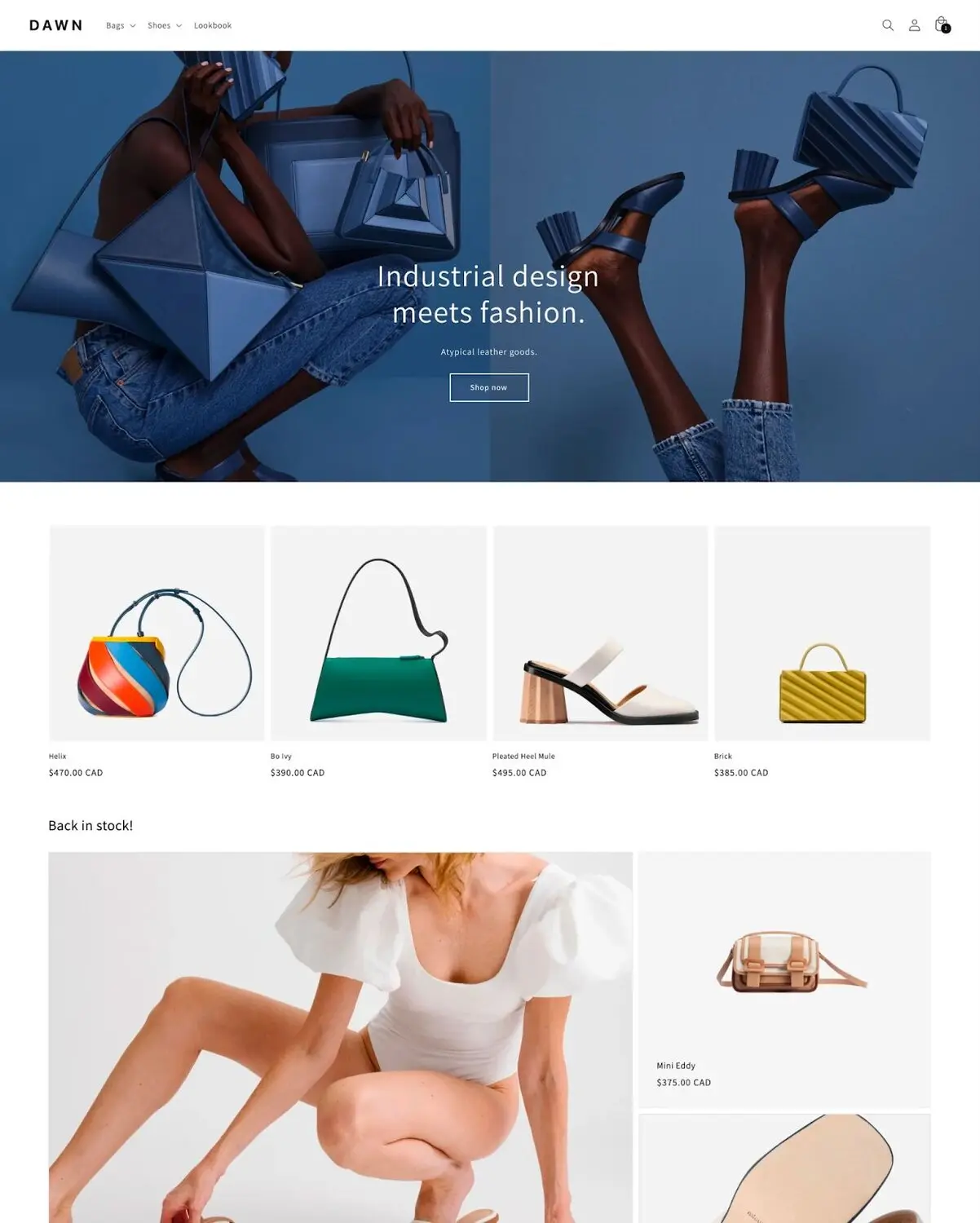
shopify.com
Shopify recommends Dawn as a perfect fit for Apparel, Fashion Accessories, Watch & Jewelry, Health & Beauty, and other industries.
It has a minimalistic design that lets your products be in the spotlight. The theme supports large media to let customers see all the products' details and make purchasing decisions easier.
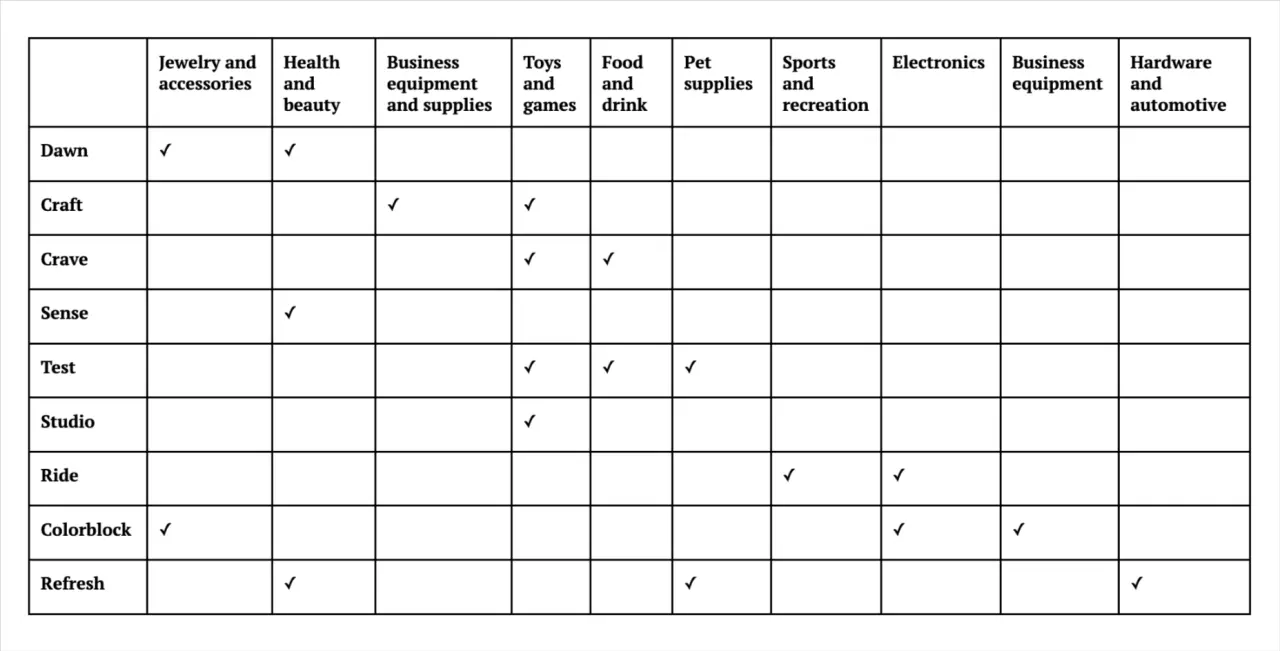
Free Shopify themes and industries
All of the free themes have an adaptive structure and media-optimized product pages. Sections and blocks make creating, reorganizing, and updating pages easy and without coding. Dawn, like other free Online Store 2.0 themes, is fast and mobile-first.
Another advantage of Shopify themes, regardless of free or paid, is that Zapiet - Pickup + Delivery works perfectly on them because Online Store 2.0 supports app blocks, which let insert apps into online stores and customize them in the theme editor. To use the Store Pickup + Delivery app on your store, you will need to install the app and then enable our widget on your theme. That way, your customers will be able to choose store pick up, delivery, or shipping on your store’s cart page. Follow the steps below, or look at our Online store 2.0 help article for more information.
1. Install Zapiet - Pickup + Delivery.
2. Duplicate your current theme.
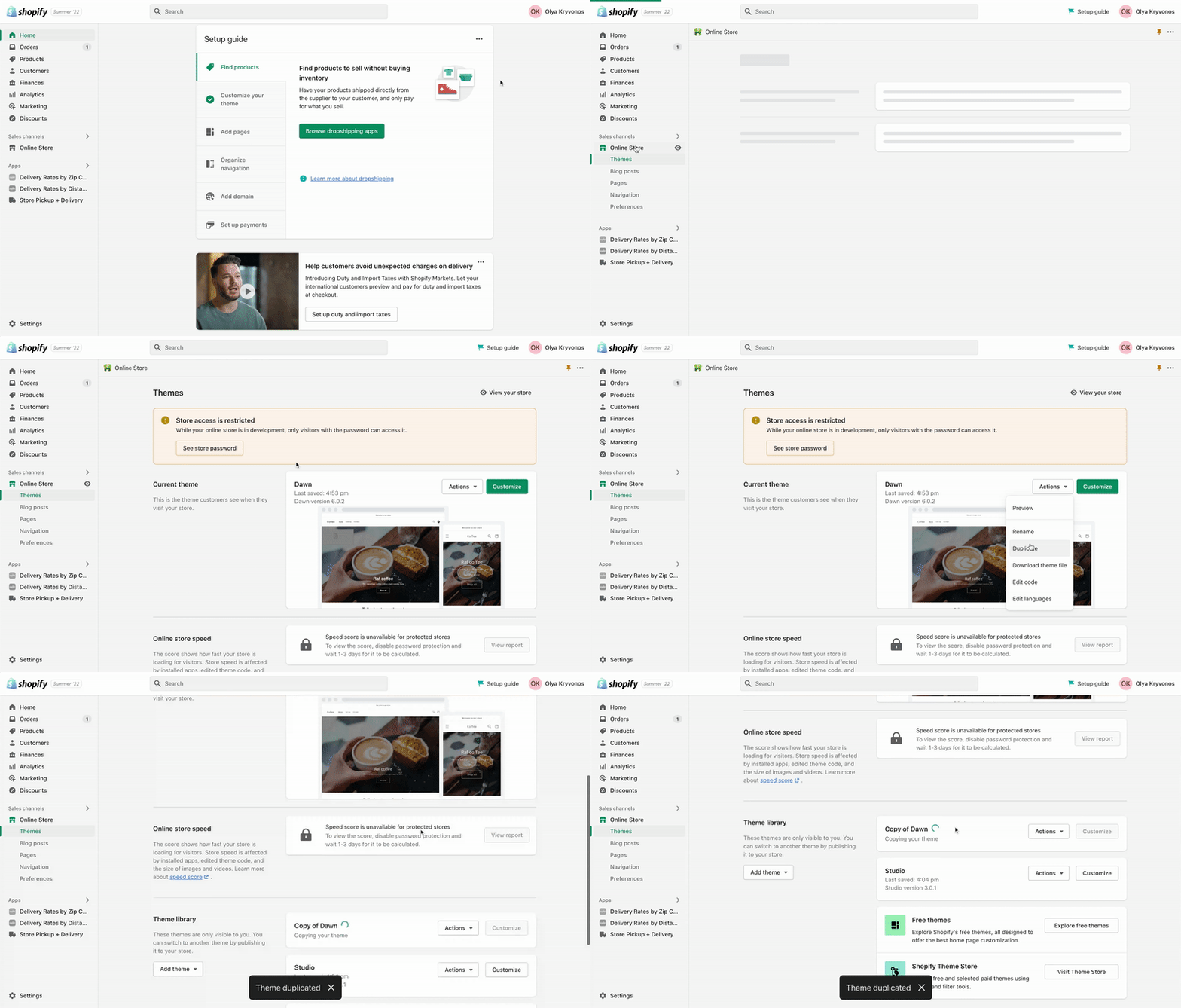
Steps 1, 2
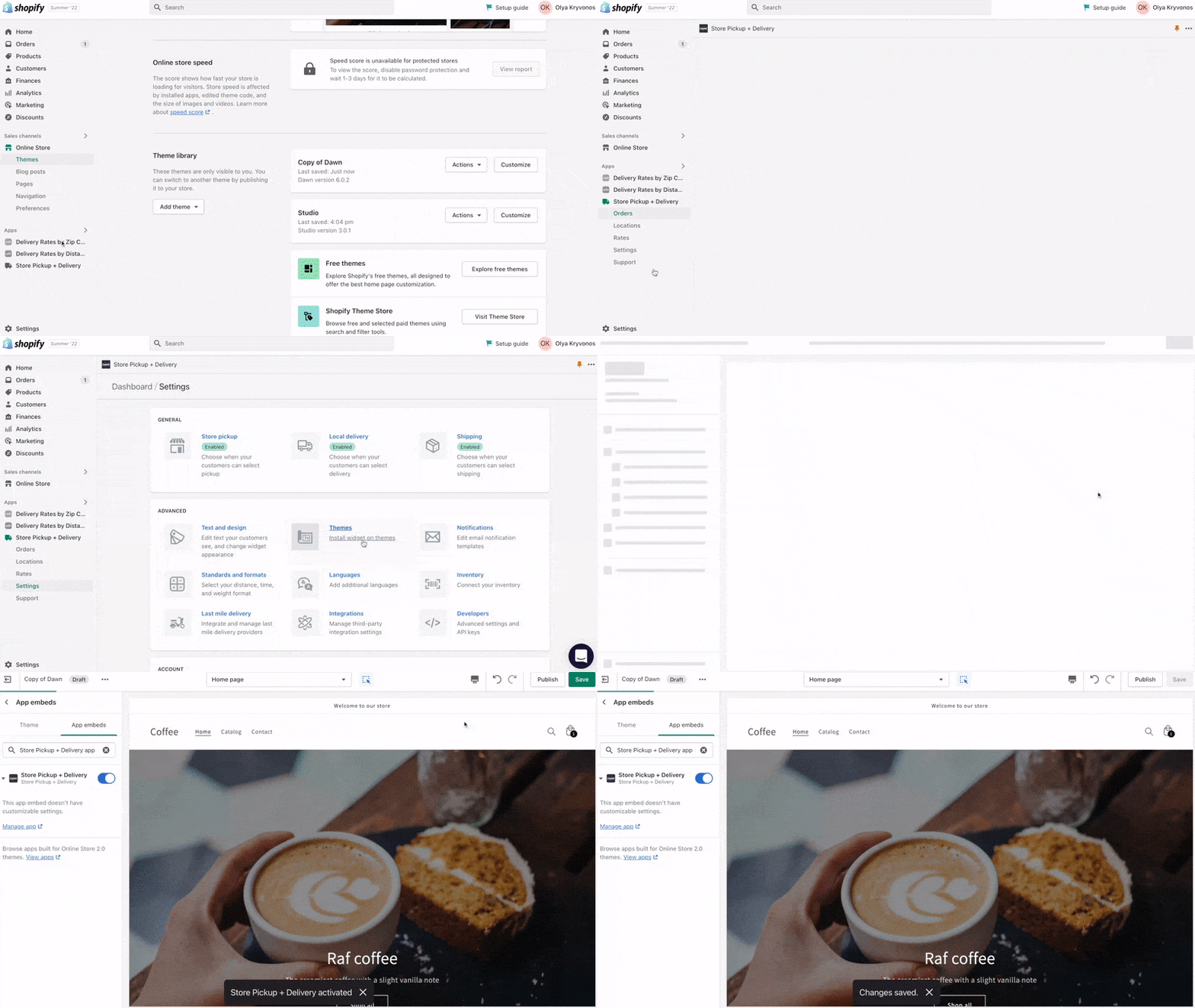
Steps 3, 4, 5
Now, you can try out the app in the preview theme mode. We recommend opening it in an incognito window:
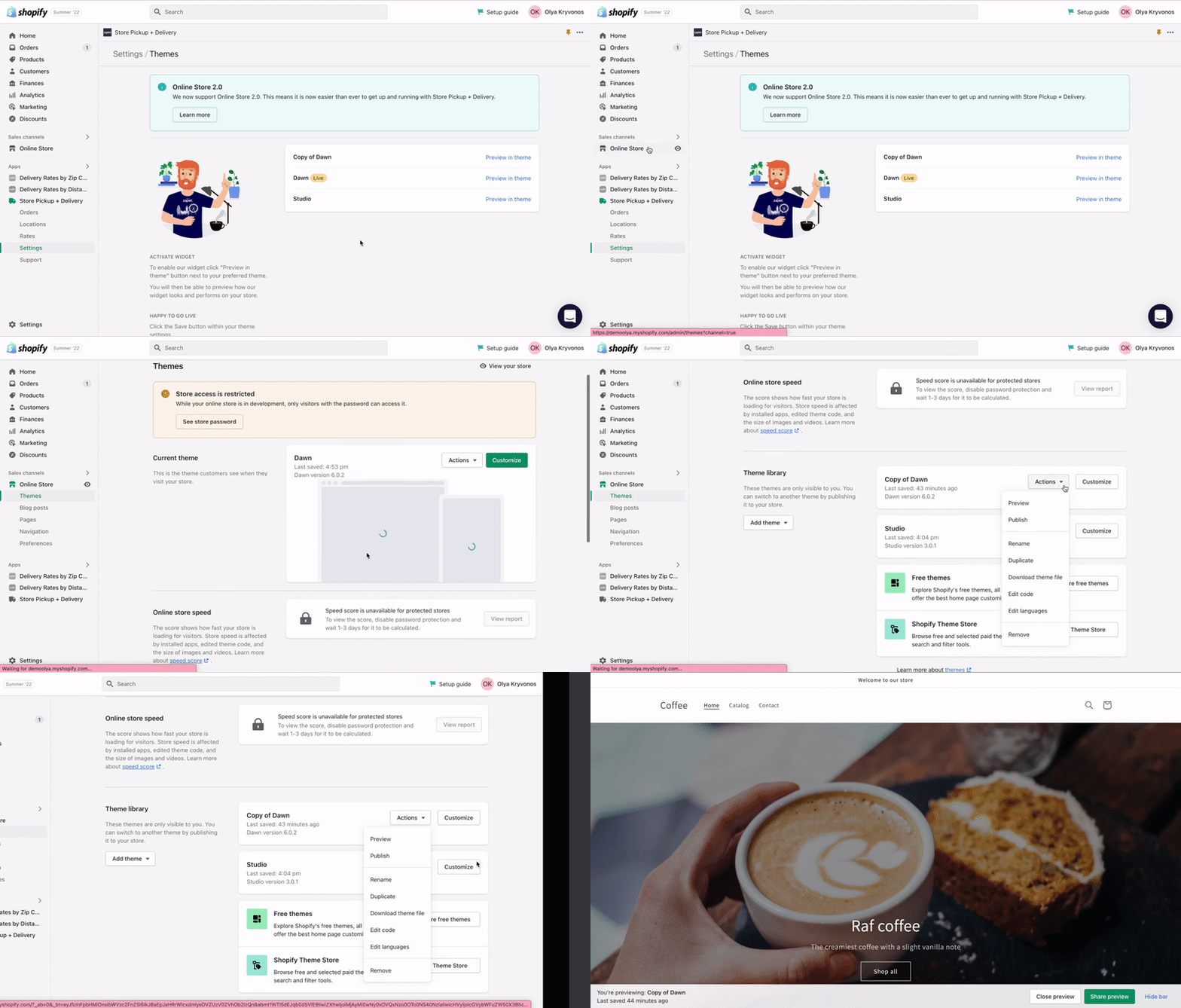
Opening theme preview in incognito window
You will see the Zapiet - Pickup + Delivery widget:
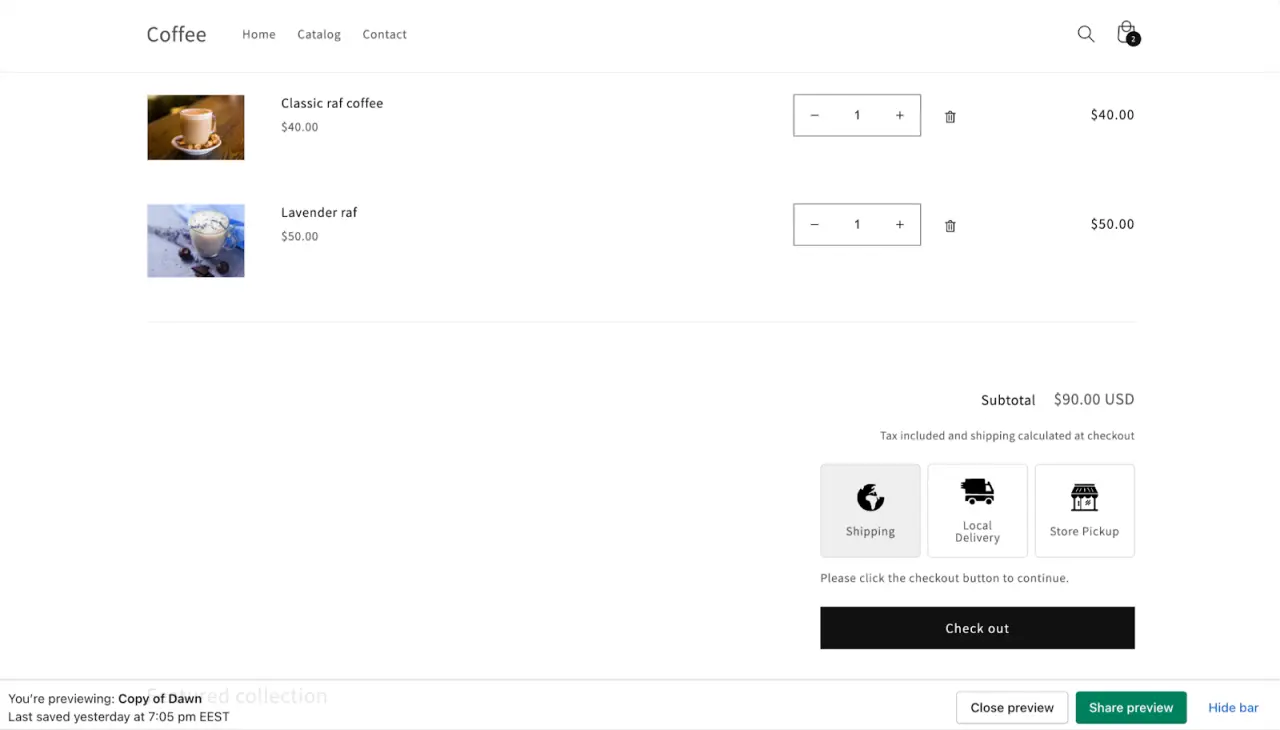
Create a test order and check if everything works well. After that, publish the copy of your theme and enjoy Zapiet - Pickup + Delivery app. We recommend publishing the copy so you can roll back to a previous theme version in case of issues with the new one.
Za you already use Zapiet - Pickup + Delivery and want to change your store's theme, you can follow the instructions above, skipping steps 1 and 2. You can do it only if you are on the Online store 2.0 version. If you are unsure which widget version you use, you can check that in our Widget version article or contact our support team at [email protected] - they will gladly help you define the widget version and update it if needed.
Share this post
Get the Pickup + Delivery app and streamline your online or physical store
Start selling smarter, install our apps and try for free.
Get the Pickup + Delivery app and streamline your online or physical store
Start selling smarter, install our apps and try for free.