How to add more than 3 product options on Shopify
Insights
November 17, 2026
María Banegas

Where does the message go?
There's no box for it. No way to upload a photo for a topper, no option for a gift box, no line for a card. So you open your email and start writing to the bakery instead, hoping they reply before Friday.
You've probably been that shopper. The bakery hadn't done anything wrong. Their product page just ran out of options before the customer ran out of ideas.
How product options work on Shopify
Every Shopify product can have up to three options, like size, color and material, as set out in Shopify's Help Center.
In October 2025, Shopify raised the number of variants a product can have from 100 to 2,048, on every plan. That's plenty of room for everything you stock, from every size and color to every flavor and finish.
For the choices that go beyond stock, like a name on a cake or a photo for a topper, Shopify's ecosystem has you covered. That's exactly what apps built for Shopify are for.
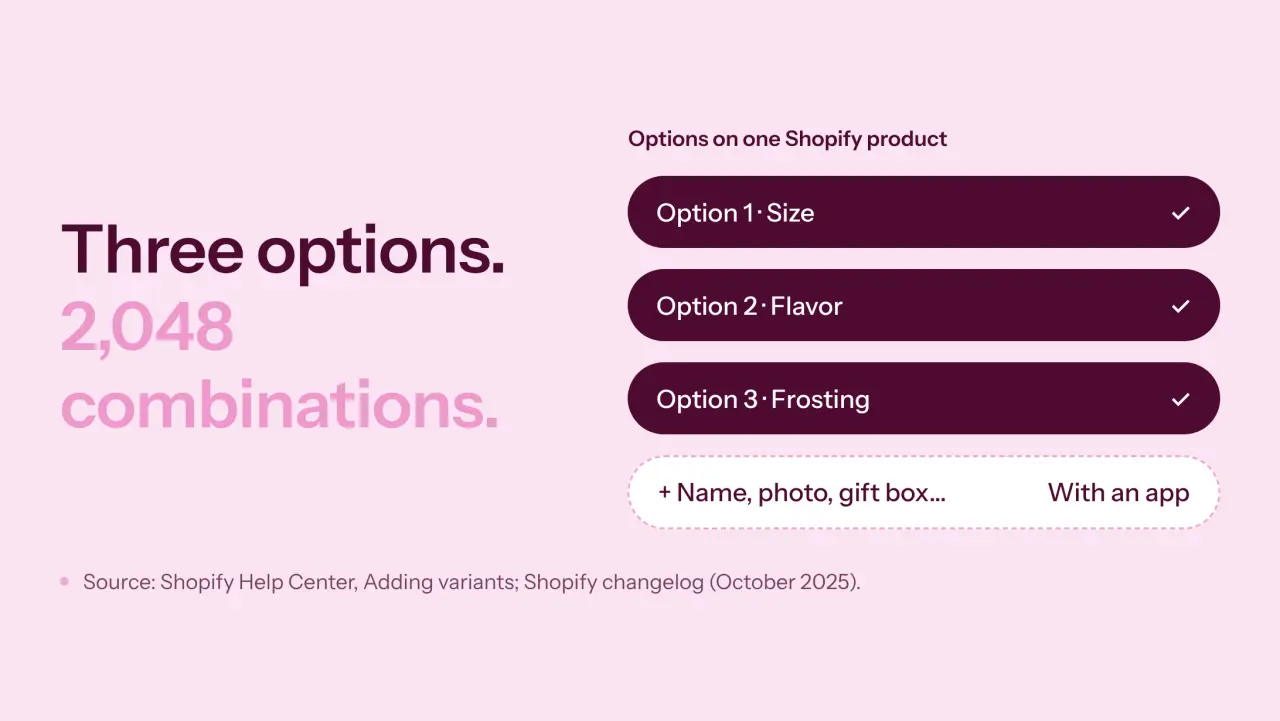
Options and variants do different jobs
An option is the question you ask: size, flavor, frosting color. A variant is each finished answer, like an 8-inch vanilla cake with pink frosting. Variants carry their own price, SKU and stock, which makes them perfect for things you keep on a shelf.
A name on a cake isn't stock, though. Neither is a photo, a card message or a ribbon color. That's personalization, and it needs a different home on your product page.
Ways to offer even more choices
When a product needs more than three choices, store owners usually go one of three ways.
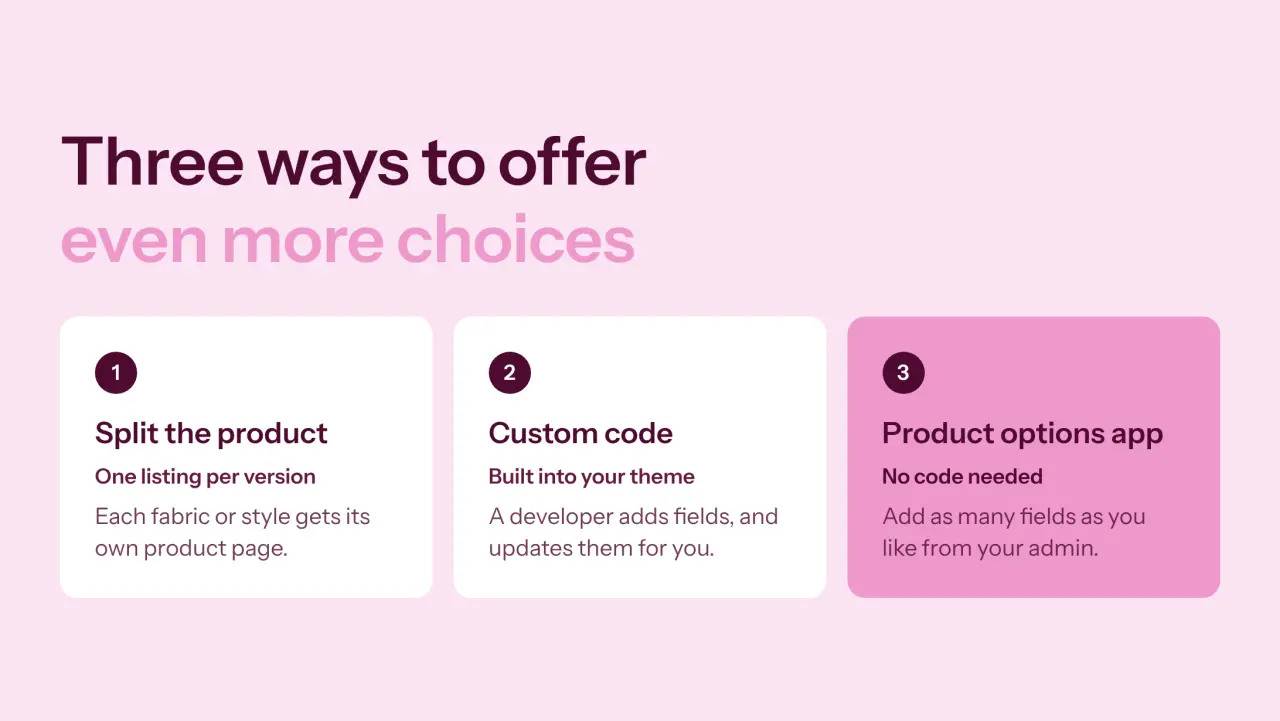
Splitting the product: turning one option into separate listings, like one product per fabric. It works when every version deserves its own page.
Custom code: asking a developer to add extra fields to your theme. It works if you have a developer on hand for every change.
A product options app: adding as many fields as you need from your Shopify admin, with no code. It's built for personalized, made-to-order and gift products.
For stores that sell personalized products, the third route is the one that grows with you.
Give every idea a place
Zapiet - Product Options lets you create as many options and option sets as your products need. Here's what one cake can look like.
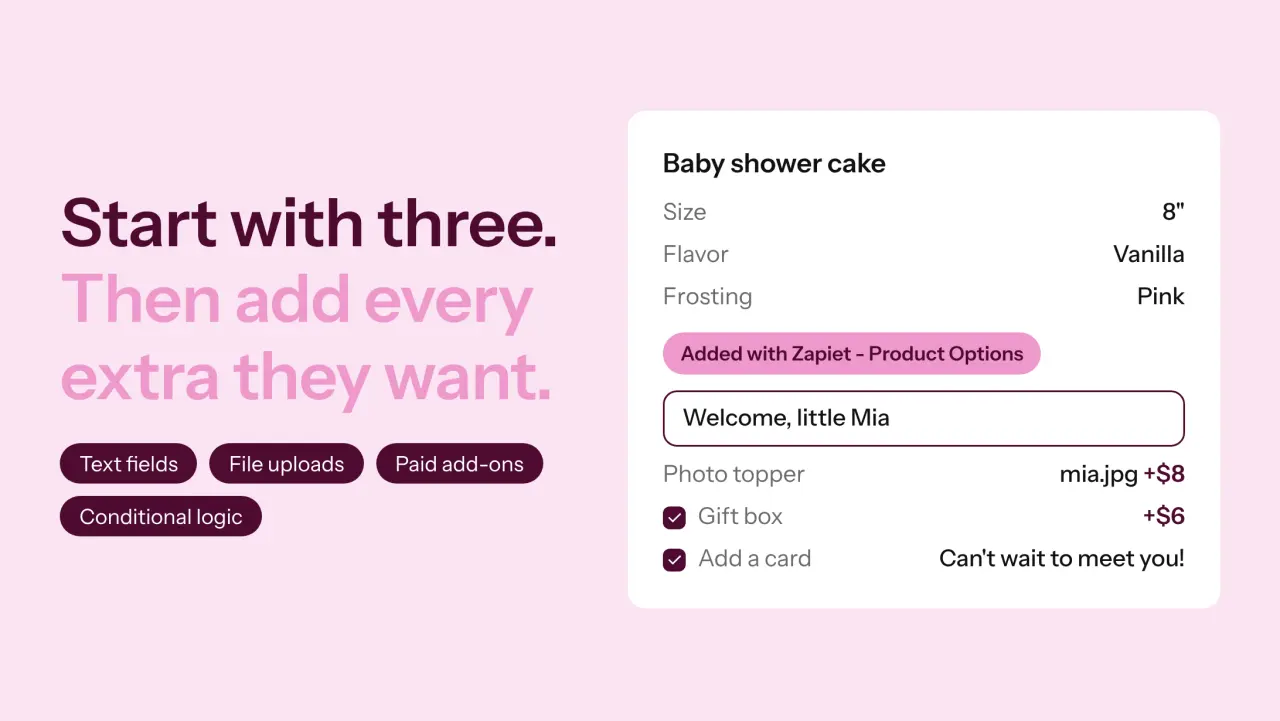
Let them say it in their own words
Text fields capture names and messages, with character and word limits so the message always fits. File uploads let customers share a photo for a print or a topper. Dropdowns, radio buttons and checkboxes cover everything else.
Let them see what they're choosing
Swatches, image choices and a color picker turn a list of words into something customers can picture. Product images can even update as they choose.
Let them treat themselves
Gift wrap, engraving, a premium box, an extra layer. With pricing add-ons, each upgrade adds its own charge right on the product page. Personalization becomes part of the sale, not a favor you arrange by email.
Show only what matters
More options don't have to mean a longer page. Conditional logic shows a field only when it's relevant. A customer ticks "It's a gift" and the card message box appears. Everyone else never sees it.

From the product page to the kitchen
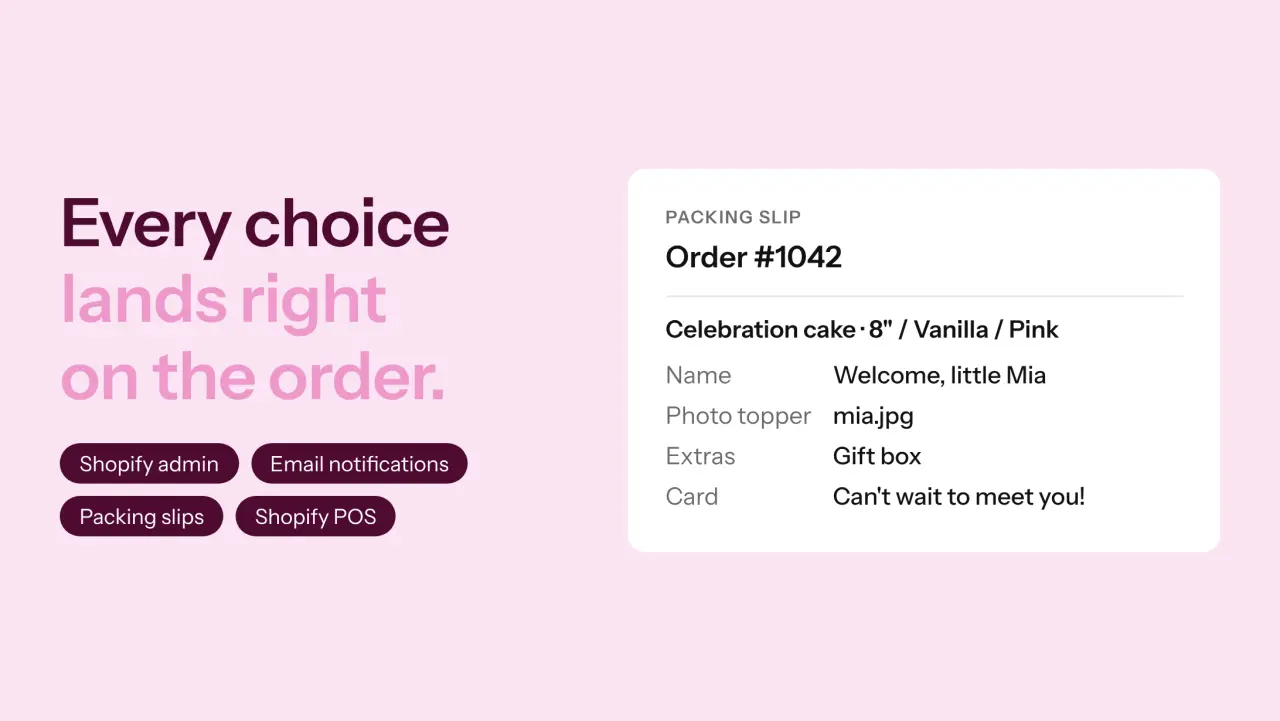
Every choice lands on the order in your Shopify admin, and you can add the details to your email notifications and packing slips. The person decorating the cake sees "Welcome, little Mia" without anyone forwarding an email.
Options also work in Shopify POS, so staff taking an order at the counter capture the same details your website does. And if you use Zapiet - Pickup + Delivery, customers can personalize their order and choose when they'll get it in the same visit.
Setting it up with Zapiet - Product Options
Once the app is installed, getting your first options live takes a few steps:
Theme: enable the app block on your product pages.
Options: create your fields and group them into option sets.
Products: choose where each option set appears, by product, collection, tag, vendor or product type.
Add-ons: set a price on any option that should cost extra.
A few things to know before you go live. Product Options works with most Shopify themes, and our support team can help if yours needs a hand. A very large number of complex options can have a small effect on page speed, so keep each product focused on the choices that matter. And place a test order first, so you see the journey exactly as your customers will.
Room for every "can you also…?"
Customers who personalize are telling you exactly what they want. Give them a place to say it on the product page, and the extras stop arriving by email and start arriving with the order.
Our baby shower shopper didn't need a bigger menu. She just needed somewhere to write Mia's name.
Want to give your customers more ways to make it their own? Zapiet - Product Options adds unlimited custom fields, paid add-ons and conditional options to your Shopify product pages, with a 14-day free trial. Get Zapiet - Product Options on the Shopify App Store.
Share this post