Curbside pickup on Shopify: setup and customer notifications
Insights
November 5, 2026
Jonathan Roque

Curbside pickup is a form of buy online, pick up in store where the handoff happens outside, not at the counter. The customer orders and pays on your Shopify store, chooses curbside pickup at checkout, and a member of your team brings the order out to their car when they arrive. It works best for stores with parking nearby, for heavy or bulky orders, for restaurants and cafés handling takeaway at peak times, and for anyone collecting with kids in the back seat. If you're weighing it against in-store pickup or click and collect, our guide to BOPIS on Shopify compares the options.
Can you offer curbside pickup with Shopify's built-in settings?
Partly. Shopify's native local pickup lets you switch on pickup for each location, show an expected pickup time and add pickup instructions, so a simple curbside service is possible: you use the instructions to explain where to park and how to let you know you've arrived. When you mark the order as ready, Shopify sends the customer a "ready for pickup" notification.
What native pickup can't do is control when customers come. Everyone sees the same "usually ready in" message, nobody can choose a date or time, and nothing stops ten orders landing in the same twenty minutes on a Saturday. Curbside feels that more than any other pickup method, because every single order means someone stepping outside to the parking lot.
| What you need | Shopify native pickup | With Zapiet ‑ Pickup + Delivery |
|---|---|---|
| Pickup at one or more locations | Yes | Yes |
| Pickup instructions | Yes | Yes |
| Customer chooses a pickup date and time slot | No | Yes |
| Order limits, so a slot can't be overbooked | No | Yes (Advanced plan and up) |
| Same-day cutoffs and blocked dates | No | Yes |
| Schedule pickup orders in Shopify POS | No | Yes |
How to set up curbside pickup on Shopify
The setup below uses Shopify's local pickup as the base and Zapiet ‑ Pickup + Delivery for the scheduling. If you only need the basics, steps 1, 2 and 5 work on native Shopify alone.
Step 1: Turn on pickup for each location
In your Shopify admin, go to Settings → Shipping and delivery → Local pickup, choose the location and enable it. Check that the address and opening hours are right, since customers will drive to that address. If a store offers both in-store and curbside collection, give curbside its own clear name in the list of pickup options (for example, "Main Street — curbside") so customers know exactly which one they're choosing.
Step 2: Write curbside pickup instructions
The instructions are where curbside succeeds or fails, because they're the only thing the customer has to go on when they pull up. Good instructions cover:
Where to park: the exact spot, bay numbers or the sign to look for
How to say you've arrived: a phone number to call or text, with the order number
What to have ready: the order number, and ID for age-restricted products
What to do if you're running late: whether the slot can move, and who to tell
Keep them short enough to read on a phone in a parked car. Four lines that answer those questions beat a paragraph about your store.
Step 3: Offer pickup dates and time slots
With Zapiet ‑ Pickup + Delivery, customers pick a date and time slot before checkout, so you know when each car will arrive instead of guessing. Match slot length to how quickly your team can get an order out the door — short slots for quick takeaway, longer ones for large or made-to-order items — and set a preparation time so nobody can book a slot before the order could possibly be ready.
Step 4: Set order limits, cutoffs and blocked dates
Order limits cap how many orders you accept, so a busy period can't be booked beyond what your staff can carry out to cars. A same-day cutoff stops late orders landing for slots that are already being packed, and blocked dates close pickup for holidays, stocktakes or days you're short-staffed. Our post on cutoff times, blackout dates and order limits covers each setting in more detail.
Step 5: Place a test order
Order something yourself, choose curbside, and follow it all the way through: the slot you picked, the confirmation email, marking the order as ready, the notification you receive, and the moment you'd "arrive". It's the quickest way to spot a vague instruction or a missing phone number before a real customer is sitting outside wondering what to do.
Customer notifications that make curbside work
A curbside customer never walks into your store, so every instruction reaches them through a message. Three moments matter, and each one has a different job.
Order confirmation: set expectations
The confirmation should repeat the pickup date, time slot and location the customer chose, along with a short version of your curbside instructions. It's the message people screenshot or search for on the day, so it needs to work without a second look at your website. You can edit Shopify's templates under Settings → Notifications.
Ready for pickup: the message that matters most
When you mark the order as ready in your Shopify admin or in Shopify POS, the customer gets a "ready for pickup" email, or a text if they gave a mobile number. Most merchants leave Shopify's default wording untouched, which is a missed opportunity: this is the message the customer reads just before they set off. Zapiet ‑ Pickup + Delivery adds SMS and email notifications on top of Shopify's own, so updates reach customers on the channel they actually check. A curbside version might read:
Your order #1042 is ready for curbside pickup at Main Street. Park in one of the marked bays by the side entrance and text your order number and bay number to 555-0142. We'll bring it straight out.
Arrival: how customers tell you they're here
This is the step most curbside setups leave vague, and it's where the waiting happens. Pick one method and use it everywhere — instructions, notifications and signs in the parking lot — so customers never have to guess:
A dedicated number to call or text, answered by whoever is on curbside duty, not the main store line
Numbered parking bays, so the customer only has to send their order number and bay number
Car details in advance, collected through the order note field that most Shopify themes include in the cart, so staff can spot the car as it pulls in
Running curbside on a busy day
Curbside runs smoothly when one person owns it during each shift. Give them the phone that receives arrival texts, a printed or on-screen list of the day's slots, and a clear spot inside where ready orders wait in slot order. Plan for the weather too: a covered spot for packed orders and a rule for what happens when it rains will save you a few soggy handoffs.
How Seaside Seafood made curbside work
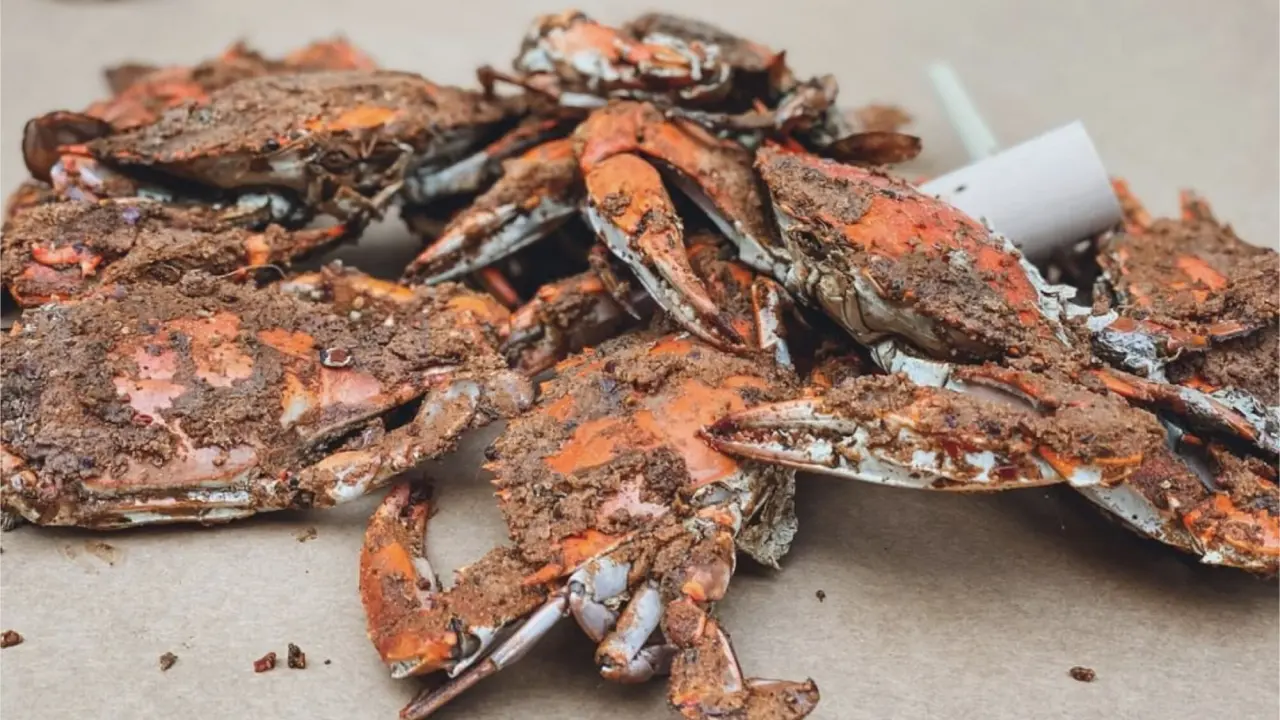
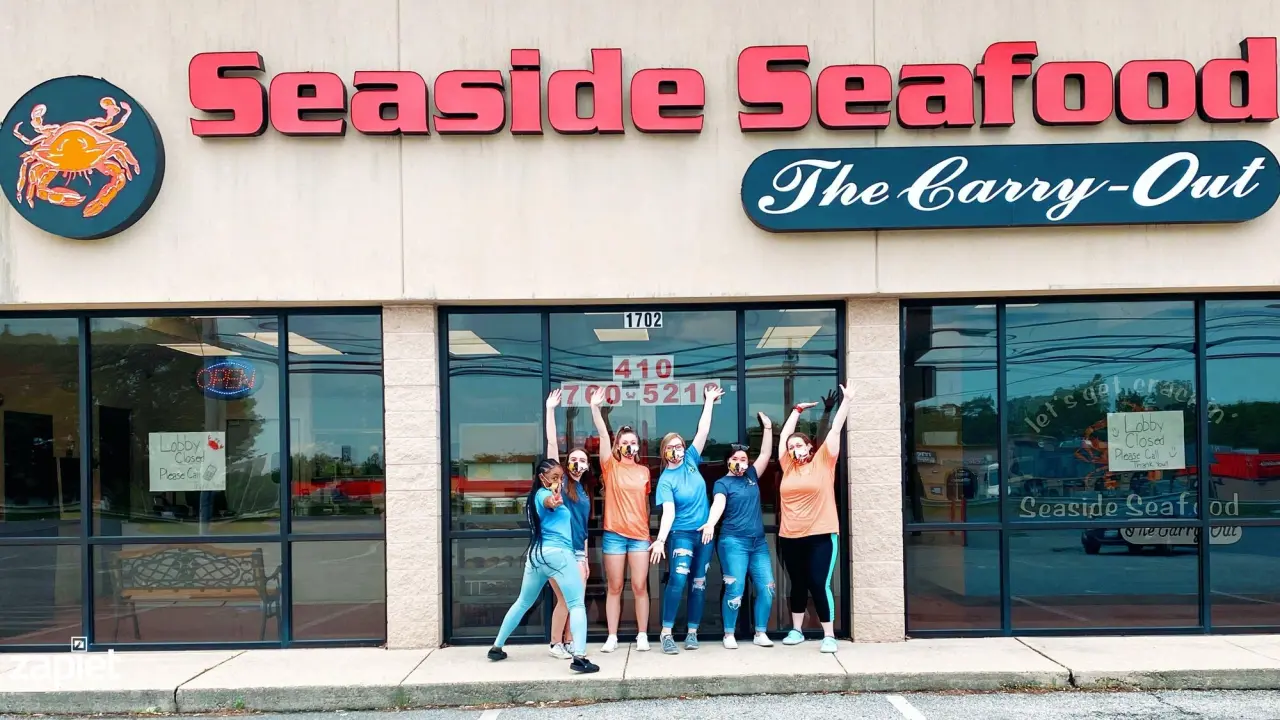
Seaside Seafood, a family-owned crab restaurant, used to take orders by phone, and the phone line quickly became the bottleneck. They moved ordering onto their Shopify store with Zapiet and switched to curbside pickup, adding portable card terminals and staff in the parking lot to keep handoffs quick. Online orders grew from a handful a month to more than 100 a day on busy weekends.
Seaside Seafood
Eric adds: “They also love that they can order online a full hour before we even turn the phones on! I am certain this would not have been successful had we not found Zapiet.”
What is something unique about Seaside Seafood?
Eric: "I think the amount of care we put into steaming crabs sets us apart from other places. Many places I have been in literally dump crabs into the pots and sprinkle a little seasoning on them - some get a little, some get none. We take a lot of care and pride in how we pack our pots. Each layer of crabs gets a liberal amount of our proprietary seasoning blend. So, if you get a dozen crabs from Seaside, each crab will be seasoned just right."
Will curbside pickup remain part of your business moving forward?
At the time of our 2022 interview, Eric said: “We actually discuss this pretty regularly. What happens when this is over? My personal feeling is that we will remain strictly curbside until at least mid 2021 and probably work to incorporate it into the long term operation beyond the pandemic.”
What is an absolute must try when visiting Seaside Seafood?
Eric: “We have long been known for providing the best steamed crabs around. I really think our Maryland style crab cakes are some of the best available. We ship our crabs and crab cakes all over the continental United States and plan to put more emphasis into marketing that later this year.”
Seaside Seafood
Frequently asked questions
Does Shopify have a curbside pickup option?
Not as a separate delivery method. You offer curbside through Shopify's local pickup by naming the pickup option clearly and using the pickup instructions to explain where to park and how to say you've arrived. Apps like Zapiet ‑ Pickup + Delivery add the scheduling that native pickup lacks, such as time slots and order limits.
Can I manage curbside orders in Shopify POS?
Yes. Pickup orders show up in Shopify POS, where staff can mark them as ready and complete the handoff. With Zapiet ‑ Pickup + Delivery, your team can also schedule pickup orders from POS, which helps when a customer calls ahead or orders at the counter for later.
How much does curbside pickup cost to run on Shopify?
Shopify's native local pickup is included in every plan. Zapiet ‑ Pickup + Delivery starts at $49.99 a month on the Essential plan, and order limits are included from the Advanced plan at $79.99 a month. Every plan comes with a 14-day free trial.
Share this post
Get the Pickup + Delivery app and streamline your online or physical store
Start selling smarter, install our apps and try for free.
Get the Pickup + Delivery app and streamline your online or physical store
Start selling smarter, install our apps and try for free.